01
Needs live checkEntry path
Confirm passport, route, stay length, first entry city, arrival card, and whether a visa-free, visa, or transit path applies.
Traveler job
Know whether the trip can legally start before buying more plans.
Arrival apps
In short
Prepare the apps that protect the first day first: mobile data or roaming controls, maps, translation, messaging, one tested payment wallet, hotel details, and support contacts. Add ride-hailing, rail, food, or attraction apps only after the basics work.
Make data reliableApplies to
First-time China visitors who need the phone to support airport exit, hotel check-in, restaurant ordering, payment, navigation, and help before they understand local routines.
Check before you rely on it
App availability, account verification, wallet screens, phone-number requirements, and map behavior can change by device, provider, card, city, and live app release.
Information checked:
Maps, translation, messaging, ride tools, wallet access, and offline backups to prepare before takeoff.
Trip path
Use this page to make maps, translation, messaging, payment screens, hotel details, and support contacts usable before the first transfer.
01
Needs live checkConfirm passport, route, stay length, first entry city, arrival card, and whether a visa-free, visa, or transit path applies.
Traveler job
Know whether the trip can legally start before buying more plans.
02
Use with caveatMake maps, translation, wallet prompts, hotel details, and support contacts usable before leaving the airport.
Traveler job
Keep the phone useful when the traveler is tired, offline, or moving.
03
Use with caveatPrepare one primary wallet, one linked card, one backup card or cash path, and the first small checkout flow.
Traveler job
Complete the first snack, taxi, or restaurant payment without debugging in a queue.
04
Needs live checkChoose the first airport-to-hotel route, save the hotel address in Chinese, and keep a fallback if data or payment is slow.
Traveler job
Reach the hotel without making the airport arrival the hardest part of the trip.
05
ReadyPick one low-friction meal area or restaurant type and prepare ordering, dietary, and QR-payment fallback notes.
Traveler job
Eat something simple before chasing the perfect food plan.
06
ReadySave emergency numbers, insurer details, consular support, hotel contacts, and lost-passport backup before travel day.
Traveler job
Know who to contact if luggage, payment, health, documents, or transport fails.
07
ReadyChoose a first base and route shape only after entry, phone, payment, transfer, meal, and support basics are stable.
Traveler job
Avoid building an exciting route on top of unresolved first-day risk.
App setup sequence
After choosing core apps, finish the dependencies that make them usable under airport, restaurant, and support pressure.
Apps only help if maps, translation, wallet screens, and hotel details open after landing.
Set up dataOpen the scan, pay code, card fallback, and receipt flow before the first meal or taxi queue.
Prepare paymentKeep hotel, provider, airport, and insurer support reachable when an app or network prompt stalls.
Save supportTrip moments
The right app order changes by where the traveler is standing. Keep the setup tied to flight, airport, hotel, restaurant, and station jobs.
App answers
These guides explain phone setup in the language travelers search for: maps, messaging, data, and the core China app set.
Prepare maps, translation, messaging, wallet/payment, and mobile data first. Add ride-hailing or rail tools only after the basics work.
Nihao China is best treated as a visitor-first bridge for payment, transport, online services, and translation, not as the only wallet or travel operating system. Try it before departure, but keep Alipay, Weixin Pay, card, cash, and staffed-counter backups ready.
Tourists should consider Nihao China as a useful extra if the official app supports their card, phone, route, and first cities. It should not be the only plan until one low-stakes live payment or transport action has worked.
Use one established wallet you can operate quickly, usually Alipay or Weixin Pay, and treat Nihao China as a useful visitor-first extra if it works with your card, device, and city.
Do not make Google Maps the only navigation plan. Prepare a local map option, save hotel addresses in Chinese, and keep offline screenshots for the first transfer.
Do not rely on WhatsApp alone. Prepare hotel contact details, a local-friendly messaging path when possible, and an eSIM or roaming setup that keeps essential communication available.
Choose the data path that works before the first transfer: eSIM if the phone and provider support it, roaming if it is simpler, or a physical SIM backup if eSIM is not reliable for the device.
Install and label the eSIM or roaming line before the flight, keep hotel and transfer details offline, and know which line should provide mobile data on arrival.
Setup blockers
Before adding niche apps, solve the two failure points that make every other app harder to use: phone access and live payment.
Decide whether the new visitor app belongs in your payment and transport setup, or whether it should stay as a backup.
Compare payment appsDecide how mobile data, blocked apps, home-SIM SMS, hotel Wi-Fi, and VPN fit together before the first transfer.
Open phone guideUnderstand QR modes, card checks, network issues, and backup steps before a wallet failure happens at checkout.
Open payment fallbackOffline needs both languages downloaded, and On-Device Mode is a separate switch. Face to Face is how you get understood in person.
Open translation guideOrganize apps by job: data, payment, maps, translation, Didi, metro, rail, food, tickets, and hotel support.
Open app checklistUnderstand payment QR, menu QR, metro QR, ticket QR, mini-programs, and what to do when a QR flow stalls.
Open QR guideKnow when foreign numbers are enough and when Wi-Fi, tickets, delivery, or mini-programs may ask for a local number.
Open phone-number guideLast checked:
Use device-maker, wallet, and provider sources for final setup checks. TravelerLocal can organize the setup order, but it should not promise that every phone, card, app screen, or verification prompt will behave the same way.
What may change
Fallback action
Save hotel details, first route screenshots, provider support links, and one payment fallback offline before departure.

Install order
The first app setup should be useful, not exhaustive: maps, translation, messaging, connectivity, and one payment path before takeoff.
App setup
Organize the phone by travel moments: leaving the airport, finding the hotel, paying for food, translating signs, and asking for help.
What to install so hotel check-in, food ordering, and basic navigation do not become awkward problems.
Open guideMap tools, saved addresses, and offline habits that matter once you start moving between stations and hotels.
Open guideThe payment apps that should be ready before the first café, metro gate, or convenience-store purchase.
Open guideThe apps and account prep that reduce stress around airports, ride-hailing, and ticket lookup.
Open guideSequence
This timeline keeps the app setup focused on what the traveler truly needs before departure, before boarding, and after landing.
Before departure
Start with maps, translation, messaging, and one payment path so the phone can solve the first obvious problems immediately.
Before boarding
Keep hotel details, addresses, and screenshots ready in case signal or setup is slower than expected.
After landing
Start with connectivity, hotel navigation, and transport. Leave the rest until the first hour feels stable.
Visual checks
App setup is organized around the airport exit, the street, and the checkout moment the traveler is preparing for.

The phone needs data, hotel address, translation, and one transport option before the traveler leaves arrivals.

Maps, screenshots, and Chinese address cards should work even when the traveler is tired or the street is crowded.
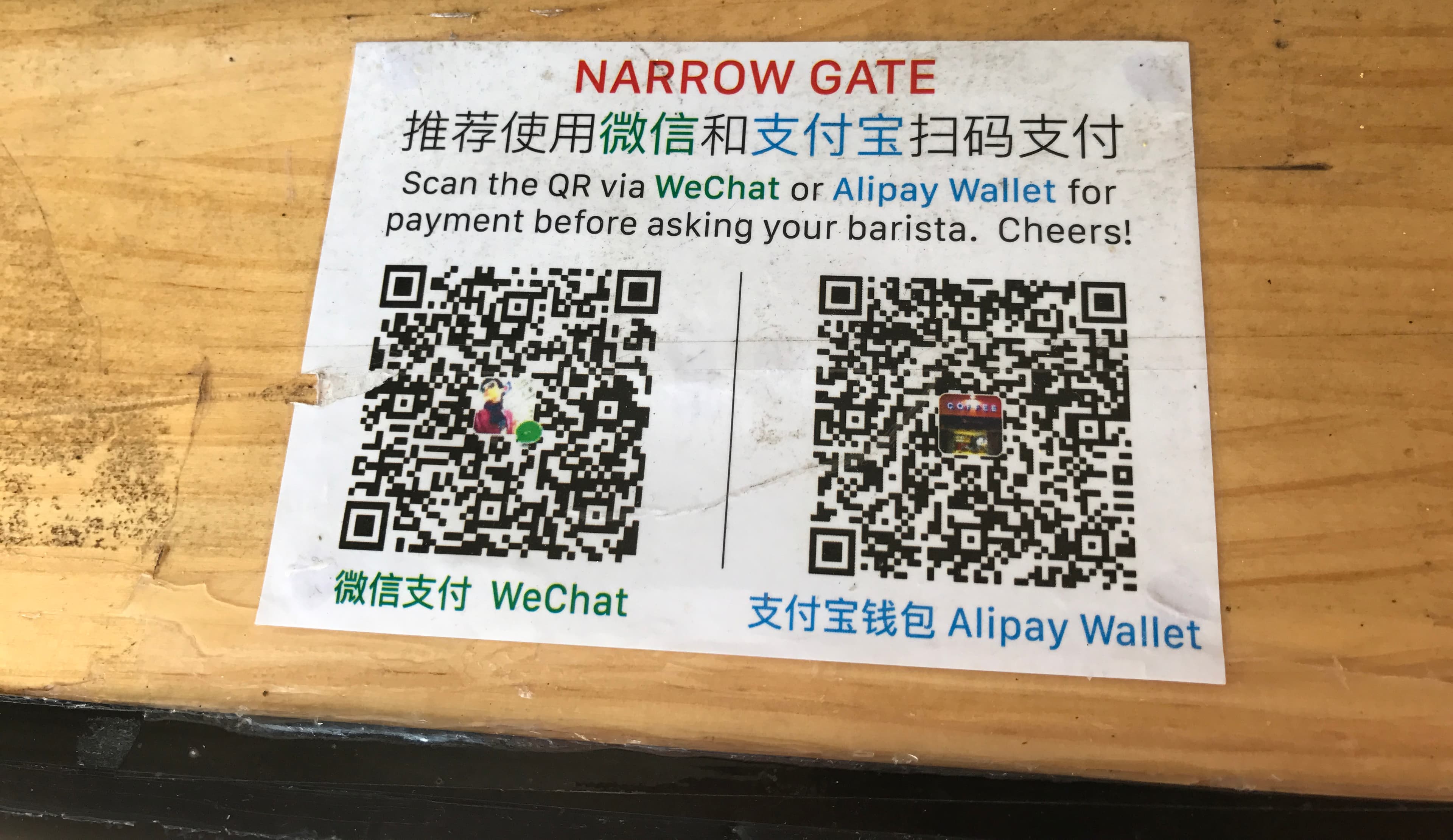
The wallet, scan button, payment code, and card backup should be familiar before the first cashier interaction.
Use cases
Framing app setup around real moments keeps the page practical instead of turning into a giant app list.
Maps, translation, and saved addresses are what keep arrival from turning into a guessing game.
Transport, messaging, and map tools matter most once the traveler starts moving on public transit or ride-hailing.
The most practical apps are the ones that let the user pay, translate, and orient themselves without waiting for help.
App check
The goal is not to install every China app. The goal is for the phone to keep working through arrival, movement, food, payment, and support moments.
Before you book
The core phone setup depends on device support and official wallet behavior, so this page links users back to device-maker and wallet sources where it matters.
Apple Support
Source checked
Use device-maker documentation to confirm eSIM support and understand how to add or switch cellular lines.
Open sourceGoogle Pixel Help
Android travelers should verify whether their specific phone supports eSIM and how to activate a downloaded plan.
Open sourceTencent
Payment apps are part of first-day phone setup, so the app page points back to official wallet setup guidance.
Open sourceNext setup path
After choosing the core apps, finish the jobs that make those apps useful on the ground: data, wallet access, movement, and backup support.
Next move
Read enough to make the decision smaller, then open the checklist, search a specific question, choose a setup tool, or share the page with the person planning with you.
Use the checklist when the question has shifted from research to preparation.
Search by the actual problem: Alipay, eSIM, transit visa, first transfer, vegetarian food, or a city name.
Open recommendations when the task is clear enough for a short list to be useful.