Step
Open the payment area before you leave the hotel
Open WeChat and move into the services area so you are not figuring it out while standing in line to pay.
WeChat > Me > Services
China Travel Guide
TravelerLocal
Travel Prep
The most important payment advice for first-time travelers is to reduce uncertainty before you land.
If you want the easiest path, set up the wallet you plan to use before departure and keep one backup method ready.
Quick answer
Use a mobile wallet linked before departure.
Use this page when
First-time visitors who want the least awkward payment experience
Share this page
Send this guide to a travel partner, family member, or yourself before departure.
Visual guide
Before trip
Link your preferred payment method and keep one backup ready.
First day
Make one simple payment early so the rest of the day feels easier.
Step by step
This is the practical sequence most first-time travelers care about: where to tap, what to set up, how to pay at the counter, and what to do if the flow breaks.
Step
Open WeChat and move into the services area so you are not figuring it out while standing in line to pay.
WeChat > Me > Services
Step
Add the bank card you plan to use before the trip starts feeling busy, and complete any verification the app asks for.
Bind card
Step
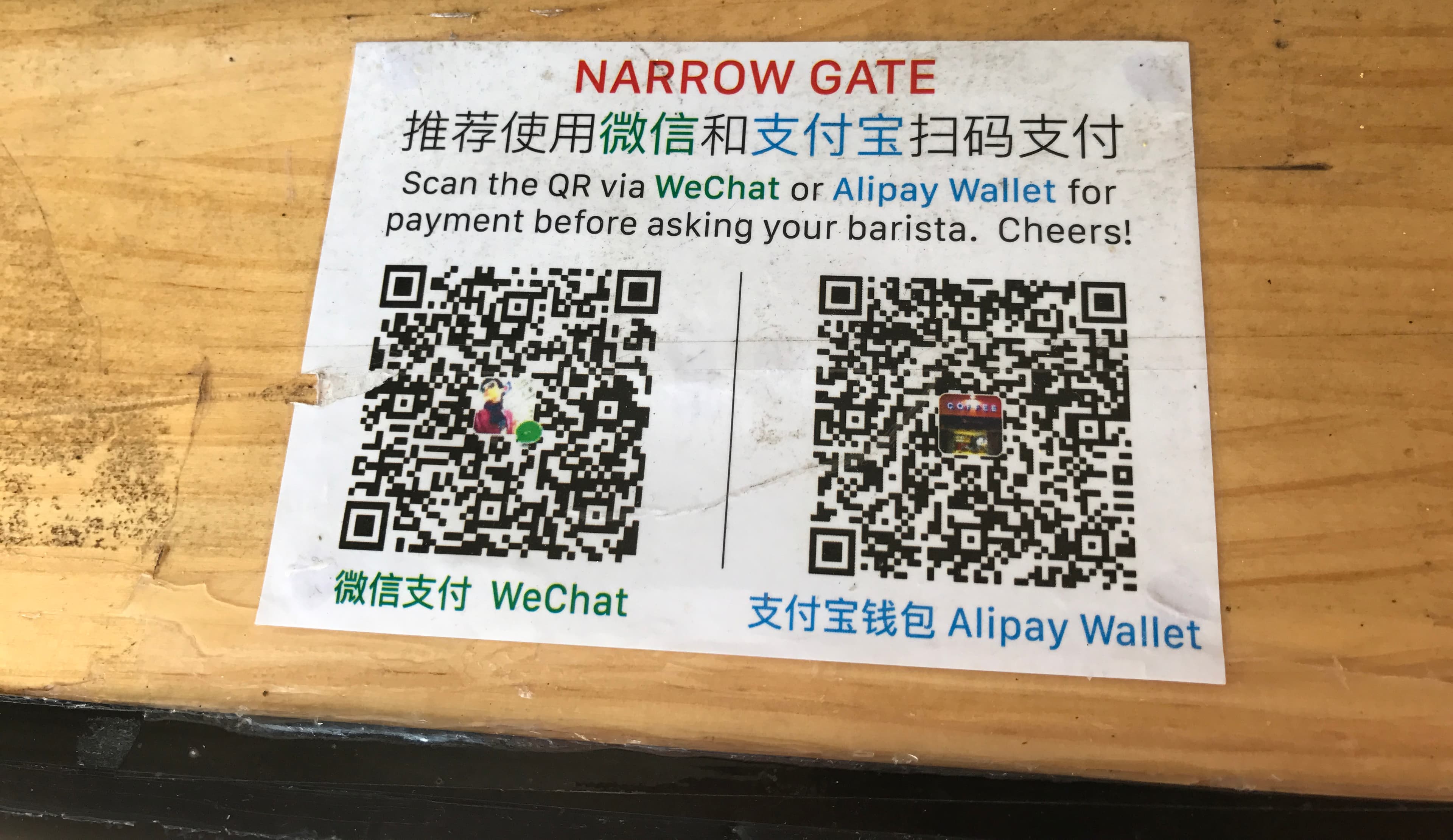
Most of the time you either scan the merchant QR code or show your own payment code for them to scan.
Pay in store
Step
Do not stay stuck inside the app. Move to your backup method so the moment stays calm and normal.
Fallback
Real situations
Most visitor confusion comes from not knowing which side should scan first. These are the two patterns you are most likely to see.
You do the scanning
You open the scan function in WeChat, point your phone at the merchant QR code, confirm the amount, and approve the payment.
Scan store code
Merchant does the scanning
You open your own payment code and hold it out so the cashier can scan it quickly like a normal wallet checkout.
Show your code
Editorial references
These are sourced editorial photos, not made-up illustrations. They help the page feel like a real travel guide while keeping the setup advice practical.

This kind of busy, real-world street context is why we want the wallet flow to feel familiar before the first purchase. The app should feel obvious while the city is moving around you.
Source Generated site editorial image · Site editorial image
Official sources
For payment setup, official help is better than paraphrased internet advice. These links are the first places I would send a traveler who wants the most up-to-date source.
People's Bank of China · Official payment guide
Use the central-bank guide as the broad official source for mobile payments, bank cards, cash, and e-CNY options available to overseas visitors.
State Council · Official service guide
The State Council guide is a readable official overview of the visitor payment stack, including Alipay, WeChat Pay, bank cards, and cash exchange paths.
Tencent · Official article
Tencent's article explains overseas-user payment improvements, international card support, and common QR/payment-code checkout scenarios.
Alipay · Official support
Alipay's public support documentation points users toward the current support path and the in-app service center, which is often where the most current visitor-specific help now lives.
China UnionPay / UnionPay International · Official network portal
Use UnionPay International to check whether your bank issues a UnionPay-linked card or whether your card can work through UnionPay-backed terminals and wallet paths in China.
The goal is not to learn every payment edge case. The goal is to arrive with one method that works most of the time and one method that protects you if setup goes wrong.
Link the payment method you trust most, test what you can in advance, and keep screenshots or notes for the first day in case mobile service is delayed.
Use the backup only when the primary path fails or you hit an uncommon merchant flow. A calm fallback is more valuable than chasing a perfect setup.
At a glance
The quick version first: what to understand, what to choose, and what still deserves a live check.
Read
Decide
Check
Before you act
This page can narrow the choice. Prices, tickets, app screens, and policy details still belong with the current official or operator source.
Decide here
Which payment path to prepare before the first live checkout.
Still verify
Current wallet app screens, card eligibility, fees, limits, and your bank's fraud controls.
Best use
Use this as a setup rehearsal, then verify inside the official wallet app.
Best option
Backup option
Good for
Watch out for
Action checklist
Next steps
Choose one related page instead of opening another broad search session.
Live tutorial
This is the part travelers actually need: what to open, which flow to expect, and how to recover if a mobile wallet gets awkward.
This player loads Tencent's own Weixin Pay tutorial MP4. Use it to see the scan and pay-code flow before the first real checkout, then open the Tencent guide for the latest written setup path.
Open official MP4Open Tencent guideInstall or open WeChat, finish the basic account checks, and make sure you can reach the services area before travel day.
Watch official videoUse Tencent's visitor flow to add a card and complete the identity or card checks the app asks for.
Watch official videoPractice the two normal checkout patterns: scan the merchant QR code, or show your own payment code to be scanned.
Watch official videoCounter pattern
Best for table QR codes, street stalls, taxis, and printed cashier signs.
Counter pattern
Best for convenience stores, cafés, metro-adjacent shops, and staffed counters.
Alipay recovery path
Alipay screens and visitor support flows can change. The safest static advice is to help travelers recognize the support path, save the support phrase, and know when to stop troubleshooting at a cashier.

If Alipay blocks a card, account, or verification step, go to the official service center instead of guessing through random menus.

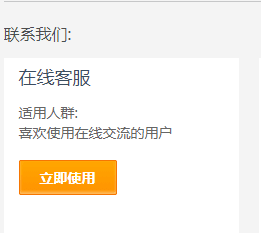
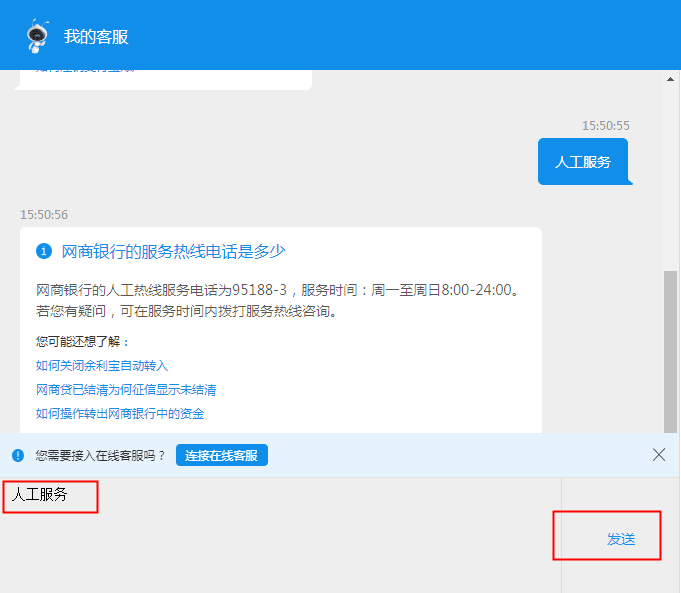
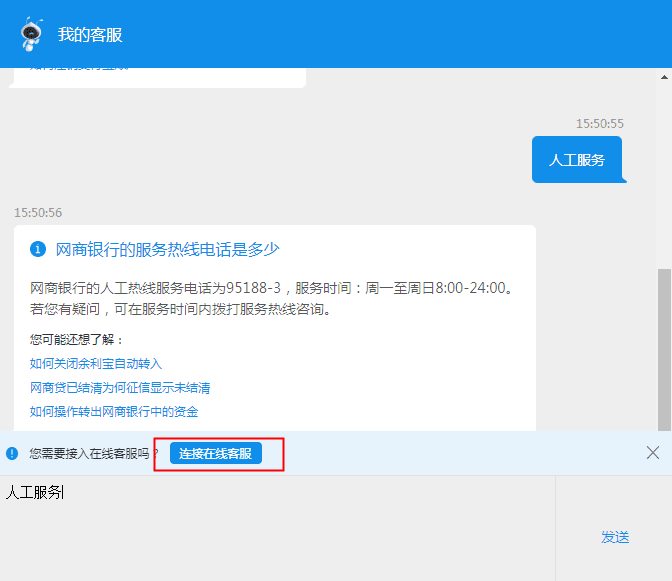
The official support flow shows entering the Chinese phrase for human service, which is useful to save before the trip.

If a payment setup issue persists, move to online support and keep screenshots of the failed payment or card screen.
Failure playbook
This removes checkout embarrassment. A traveler can know the next move before there is a queue behind them.
Card bind fails before departure
Try a second card, confirm the name matches your passport/card record, then use the official support path.
Payment code will not open at the counter
Step aside, switch from weak Wi-Fi to mobile data, reopen the wallet, and use cash/card if the line is waiting.
Merchant QR does not accept your wallet
Ask if they can scan your code instead. If not, use the second wallet or cash and keep moving.
Large payment is blocked
Split the payment only if the merchant suggests it, otherwise use a card at hotels, bigger stores, or ticket counters.
Weixin Pay support
Tencent lists Weixin Pay customer service as 95017 in Chinese Mainland and +86 571 95017 outside Chinese Mainland.
Alipay support
Alipay's official support page lists customer support at +86-571-95188. Keep it with the phrase 人工服务 so a blocked wallet does not become a full-trip problem.
Beijing Municipal Government
Use this to verify mobile payments, overseas cards, cash, and e-CNY options from a China government-facing source.
People's Bank of China
The central-bank guide is the best sanity check for the broader payment environment and backup options.
Tencent
Use this as the current official visual path for Weixin Pay setup and in-store use in mainland China.
Continue
If this page answered the question, continue to the closest related step. If it did not, search for the exact issue rather than browsing sideways.
Next move
Read enough to make the decision smaller, then open the checklist, search a specific question, choose a setup tool, or share the page with the person planning with you.
Use the checklist when the question has shifted from research to preparation.
Search by the actual problem: Alipay, eSIM, transit visa, first transfer, vegetarian food, or a city name.
Open recommendations when the task is clear enough for a short list to be useful.